IPTV Player

Stream Everything.
Live TV, Movies & More.

TVS Hub is a powerful, open IPTV client that brings live channels, movies, series, and radio to your desktop — with full Xtream Codes API support and a rich, modern interface.

4Content Tabs
EPGGuide Support
VLCPowered Playback
AndroidApp Included
TVS Hub
📺 Live TV
🎬 Movies
📂 Series
🎵 Radio
Features

Everything You Need to Stream

Built for IPTV enthusiasts who want a fast, clean, and full-featured experience.

📡

Live TV & EPG

Browse hundreds of live channels organized by category. Full Electronic Programme Guide shows what's on now and next.

🎬

Movies & VOD

Rich movie cards with poster art, genre badges, synopsis, ratings, and cast — all pulled live from your Xtream server.

📂

Series Browser

Navigate series, seasons, and episodes with a clean drill-down UI. Season counts cached for instant loading.

🆕

Recently Added

A smart "Recently Added" virtual category surfaces movies added in the last 30 days, sorted newest first.

🎵

Radio Stations

Listen to radio stations from your IPTV provider without leaving the app. Plays in the background while you browse.

Stream Failure Cache

Broken streams are cached so you skip known-bad links instantly, keeping your viewing experience smooth.

🔍

Instant Search

Search across all content types in real time. No waiting — results filter as you type across every category.

🎨

Rich Info Popups

Tap any title to see a polished overlay card with poster, pill badges, synopsis, and full-width action buttons.

Content

Four Tabs.
All Your Entertainment.

TVS Hub organizes all your IPTV content into four clean tabs — each one purpose-built for its content type.

  • 📺
    Live TV Browse live channels with category filters and full EPG. One click to play.
  • 🎬
    Movies Poster art, info cards, and a "Recently Added" category to catch what's new.
  • 📂
    Series Full series browser with seasons and episodes. Season badge counts cached locally.
  • 🎵
    Radio Audio-only streaming. Badge probing continues while radio plays in the background.
📺
Live TV
🎬
Movies
📂
Series
🎵
Radio
Screenshots

See It in Action

Real screenshots from the TVS Hub desktop app.
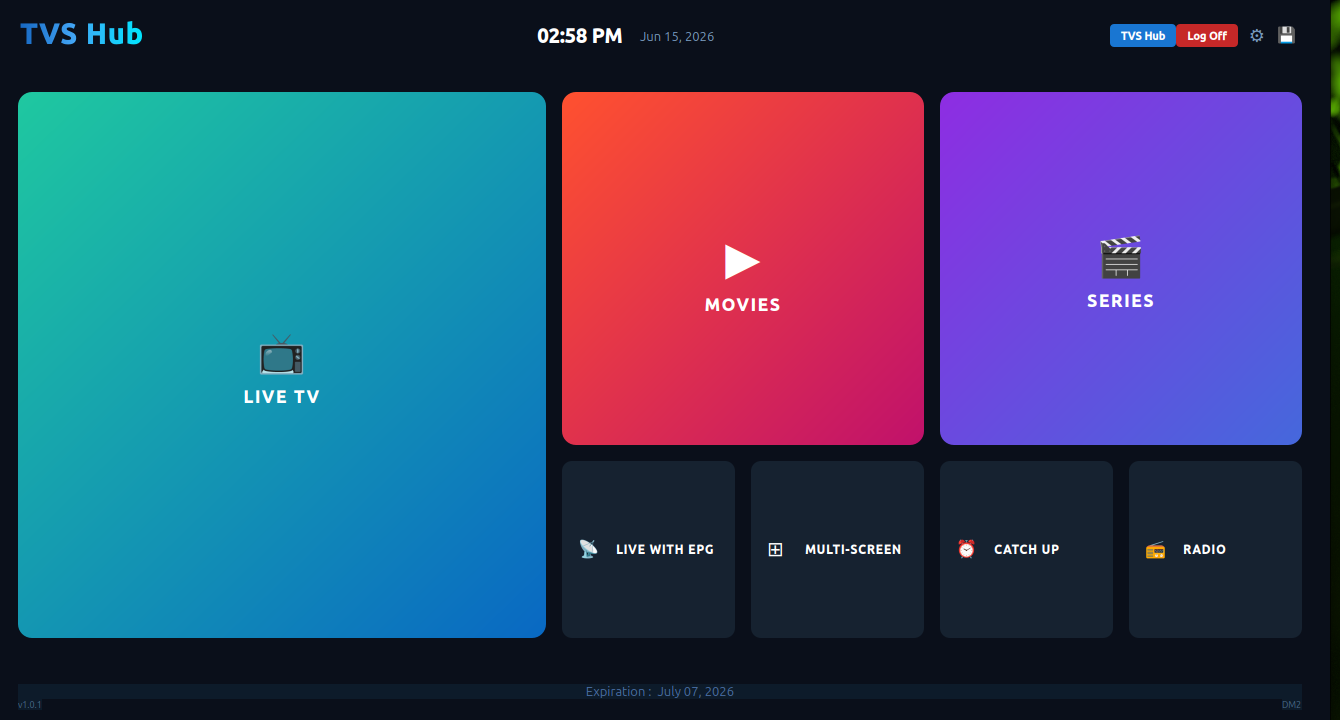
TVS Hub home screen showing Live TV, Movies, Series and more tiles
The home screen — tap any tile to dive straight into Live TV, Movies, Series, EPG, Multi-Screen, Catch Up, or Radio.
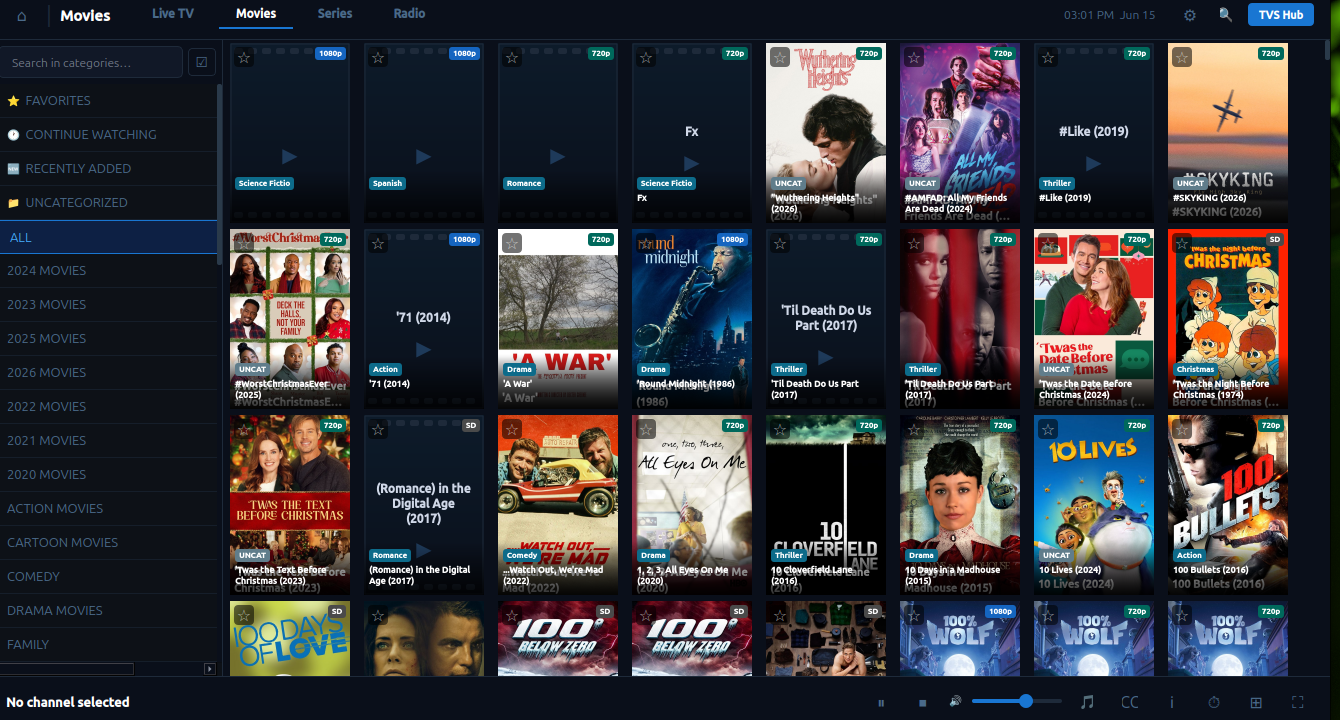
TVS Hub movies browser with poster grid
The Movies browser — rich poster grid with categories on the left and instant search at the top.
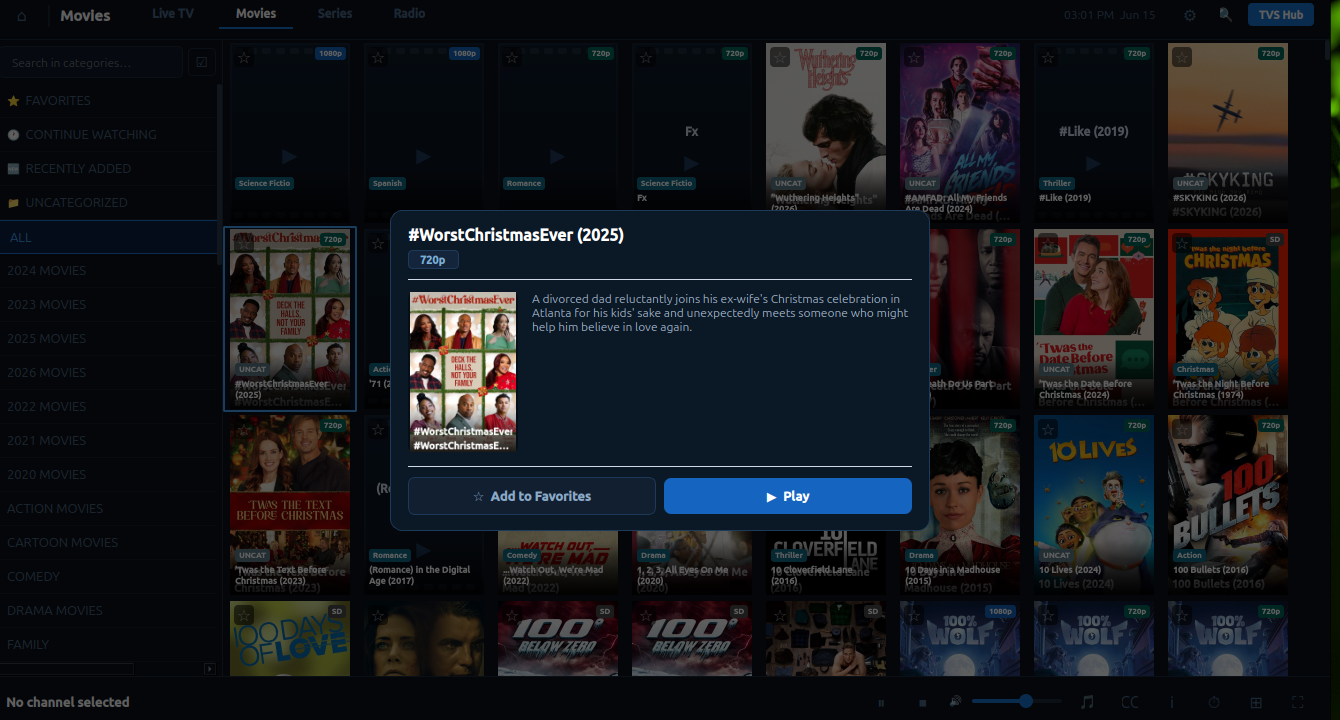
TVS Hub movie info popup with poster, synopsis and play button
The info popup — tap any title to see a full card with poster art, synopsis, ratings, and one-click Play.
Platforms

Linux, Windows & Android

TVS Hub runs on Linux and Windows desktops, with a Flutter-powered Android app — and Mac support coming soon.

Linux

Linux

Native feel on Linux with a built-in hardware & software decoder. No extra installs required — just run and stream.

💡 Best viewed with VLC installed

Download
Windows

Windows

Full-featured on Windows 10 and 11. The player is bundled — no third-party software needed to get started.

💡 Best viewed with VLC installed

Download
Coming Soon
Mac

Mac

macOS support is on the way. TVS Hub will bring the same seamless IPTV experience to Apple silicon and Intel Macs.

Ready to Start Streaming?

Download TVS Hub for your platform and you'll be live in minutes. You'll need a valid Xtream Codes IPTV subscription to connect.

Download and run the installer — no extra setup required.

Download TVS Hub for Windows

Download the archive, then run the installer from your terminal:

Terminal
# Move to your Downloads folder
cd ~/Downloads

# Extract the archive
sudo tar -xzf TVSHub_Linux.tar.gz -C /tmp

# Run the installer
bash /tmp/tvshub/install.sh
Download TVS Hub for Linux

Download the APK and install it on your Android TV box. You may need to enable Install from unknown sources in your device settings.

Download TVS Hub APK